Create a session
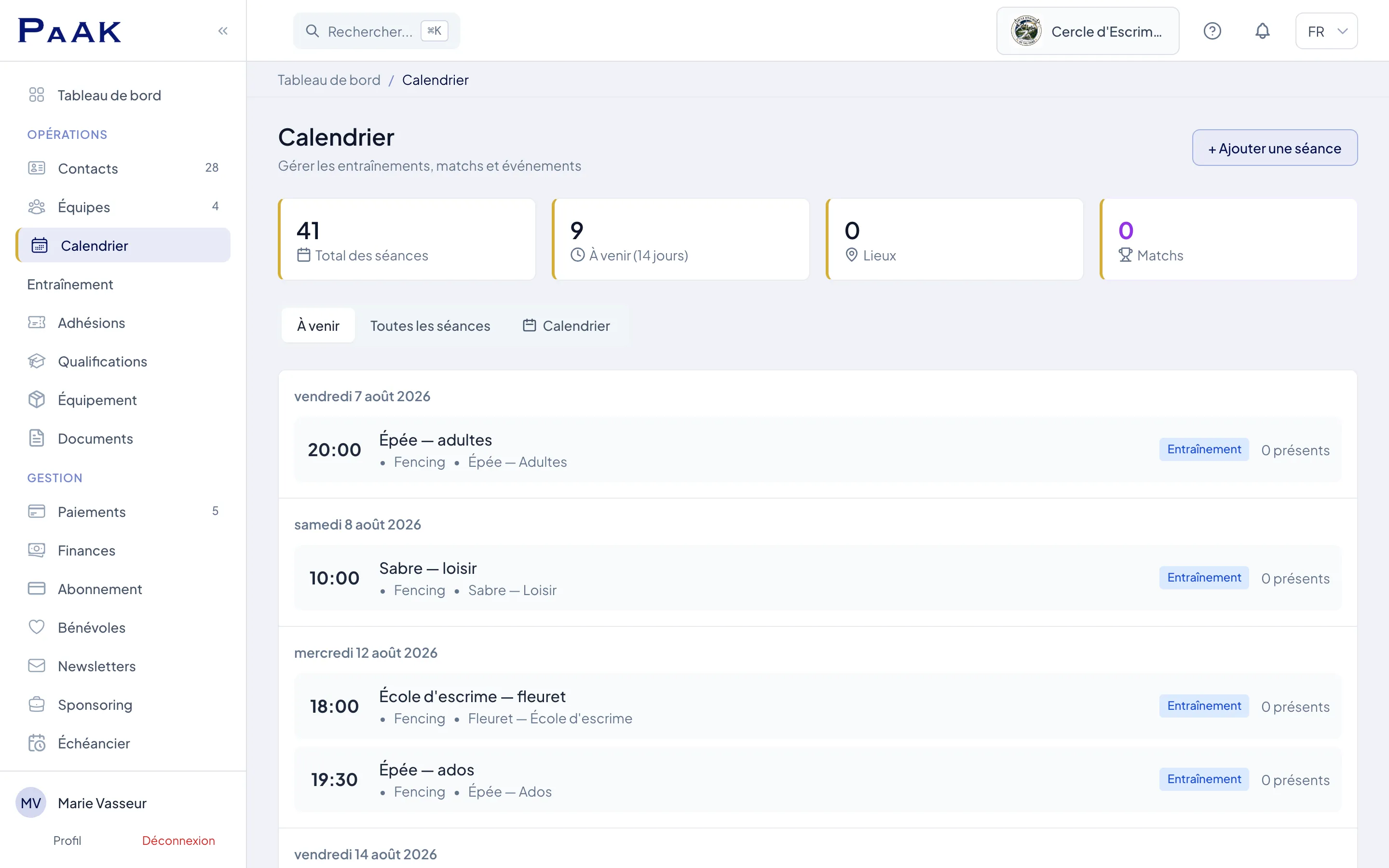
- In the menu, open Sessions. You land on the club calendar.
- Click "+ Add Session", then choose the type (training, match...), the team and the start date and time.
- Select a venue among your facilities (managed under Settings → Venues), or leave it empty.
- Save: the session appears in the calendar and in the upcoming list.
Recurring sessions
- Weekly series: switch on "Recurring", pick the day of the week, the start and end time and the date range, and the whole season's slot is created at once (e.g. "U13 training every Tuesday at 6 pm").
- Series deletion: choose "Delete entire series" if the slot changes, or "Delete this session only" for a one-off cancellation.
- Every session of a series stays editable on its own (one-off venue change...).
Session content: plan and drills
The team's age category is preselected when it is recognised. Otherwise, choose it before asking for a session outline. If you change the category, the duration or the goal afterwards, the draft stays visible: regenerate the session before saving it. The drills shown then keep the category of the plan they come from.
On a training session, the "Session content" block builds the plan: age band, duration, goal, and Paak suggests timed blocks from your sport's drill library. Each block can be replaced, re-rolled, or adjusted to the minute, and the plan prints as a session sheet (from Paak One).
- Create my drill: your own drill in under a minute. A name, a duration, and it joins the plan being built. Coaching points, progression / regression, intensity and age bands are there if you want to go further. Your drills appear in the picker under "My drills", separate from the catalogue.
- A sport without a library? Create your first drill from the same block: your own drills then feed the session plan of your sport. This is the normal route for sports where Paak does not provide drills yet (climbing, for example).
- Plan limits: the Free plan allows 5 custom drills; they are unlimited from Paak One.
- Draw a diagram: from Training → My drills & the community, draw each drill's diagram with Paak's visual elements: players, cones, zones, small goals, runs and shots, on a grid that aligns everything. The diagram prints on the session sheet, exactly like the catalogue drills. Drawing is more comfortable on a computer.
- Propose to the library: a drill that can help other clubs can be proposed to the Coach Corner community section. Every proposal is reviewed before publication; your name only appears with your explicit consent (otherwise the card only names your club), and you can withdraw the drill at any time, its card disappearing at the following site update. Once published, other coaches can vote "Useful" and add the drill to their own library. Full guide: Drills: draw, share, discover.
Session types by sport
The list of types adapts to the team's sport: a karate club sees Kumite (Sparring) and Kata (Forms), a table tennis club League fixture and Critérium, a fencing club Assault. Competitive types (match, tournament...) unlock match result entry and live tracking. A roster can be prepared on any session.
FAQ
How do I take attendance on a session?
Can I call members up by email?
Can a session have no team?
help.teams.plan-sessions